Features
dispoGas makes your gas logistics easy. But it not only takes care that your nominations are consistently and securely delivered to your market partners, it also comes with a set of nice features which make your day to day logistics processes more convenient and enables you to spot problems before they even occur!
Feature List
- Know you are balanced per market area
- Pre-match your position with a single counterparty over multiple markets
- Identify mismatches on a counterparty and hourly level
- Never run into a lead time violation during Intraday again
- Use the 1st of the month as template for all other days
- Send out only messages with a position change
Know you are balanced per market area
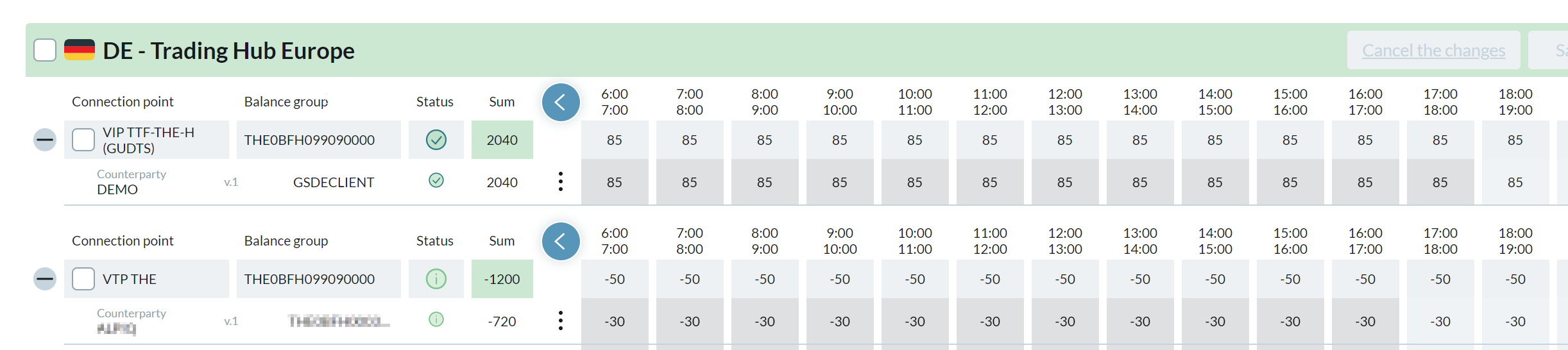
dispoGas groups connection points per market area and calculates the total position for them. So you can directly see if your net trading position at the VTP, plus your Entries and Exits net out.
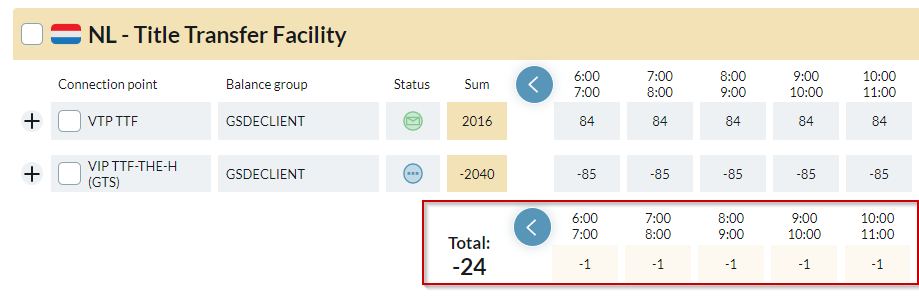
Pre-match your position with a single counterparty over multiple markets
Many counterparties like to do a pre-match via phone in order to make sure they have the same positions before nominating them. This is done typically for the first day of the new gas year and also for 1st of each month. With dispoGas it is very simple to see your positions with a single counterparty. Just type the counterparty name into the 🔎 search bar and see your position with them at all connection points.

Identify mismatches on a counterparty and hourly level
Mismatches happen. In such a case, dispoGas gives you all the infos you need to correct them:
Mismatch Status and notification per incoming message
The dispoGas Dashboard shows for each message the current status and updates in real time whenever a change occurs.
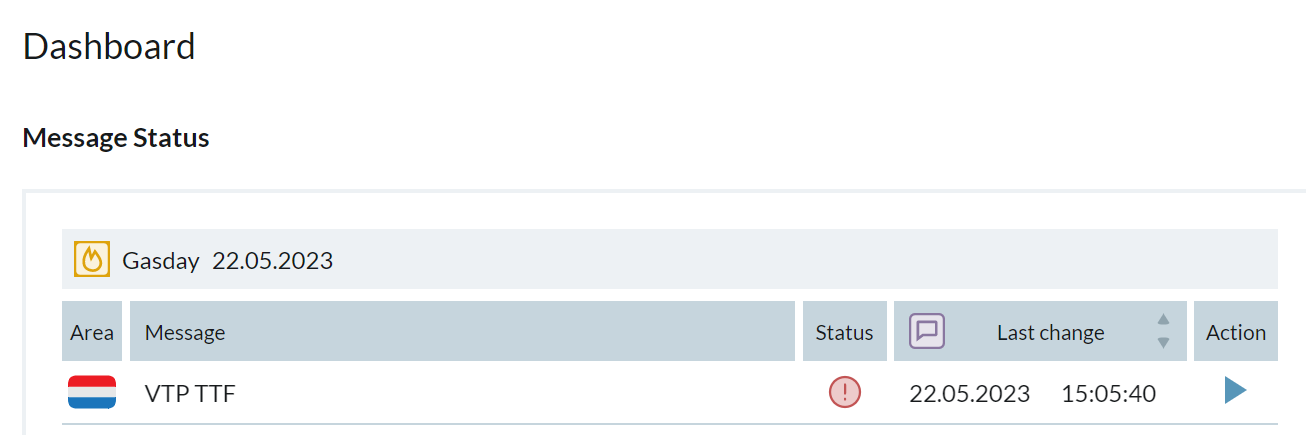
Message details showing your nominated values and the market partner confirmation
From the Dashboard you can directly access the message details, giving you the detailed information you need to correct the mismatch:
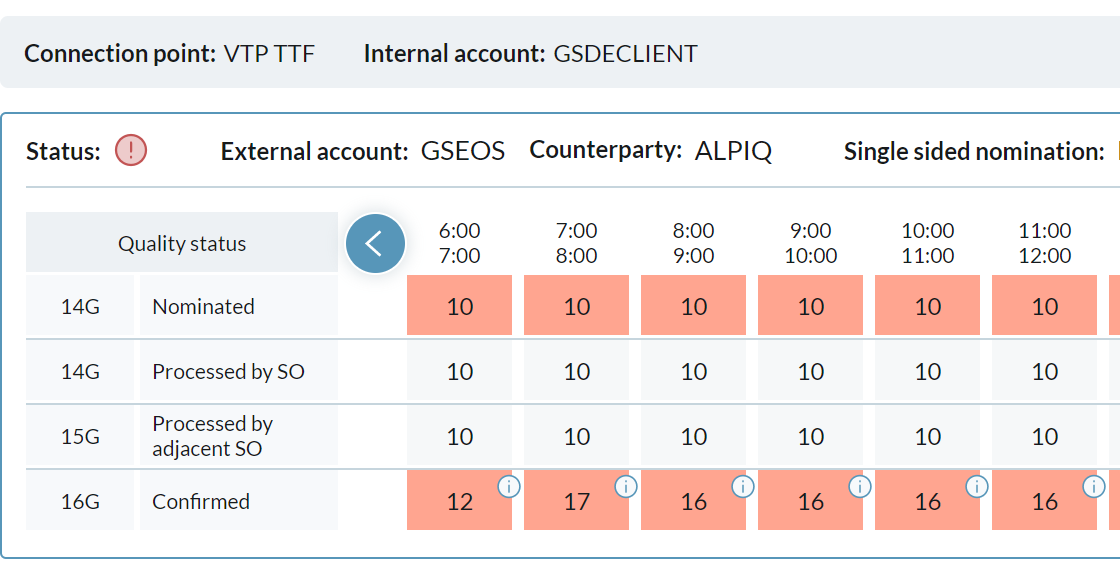
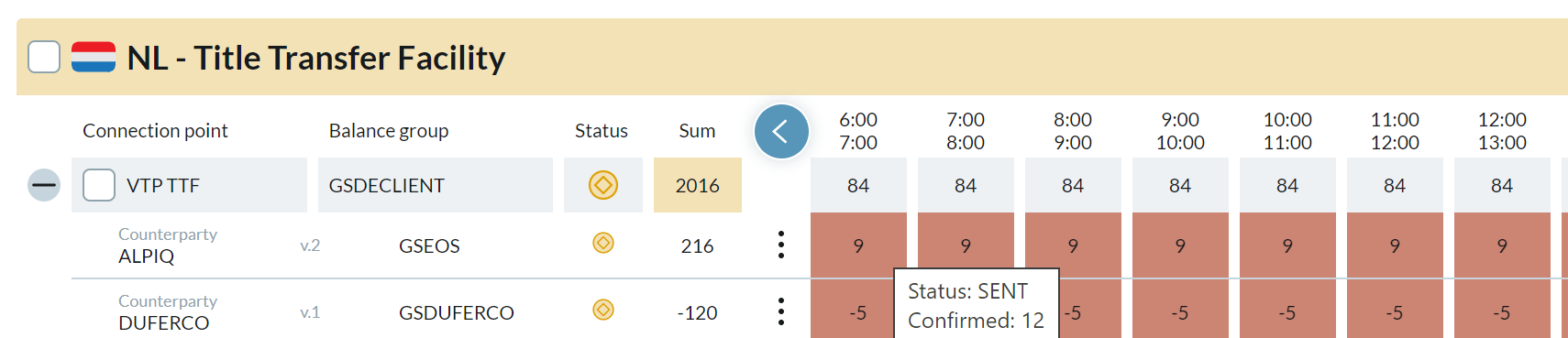
See the mismatched hours in the Nomination details overview
Even when you are looking at the nomination overview, you see the mismatched hours directly. Change them to the confirmed value, and the red background disappears.
Never run into a lead time violation during Intraday again
For each connectionpoint, dispoGas has the individual lead time configured. Within the Nomination Screen, we highlight the hours you are not allowed to change any more. When you upload your data via FileImport or our API, you can decide if you want to ignore values which violate the lead time, so you do not have to correct them immediately in your source system.
Use the 1st of the month as template for all other days
From a business continuity perspective, it is always favorable to have your nominations ready for more then just today and tomorrow. But since it is a cumbersome process in most ETRMs to collect the nomination data for an entire month, such processes are often not implemented or only take place with manual work arounds. In dispoGas you can simplify this easily:
- Import and nominate the first day of the month
- Ensure you have a matching at all markets and counterparties
- Copy the nomination data to all other days of the month with two clicks

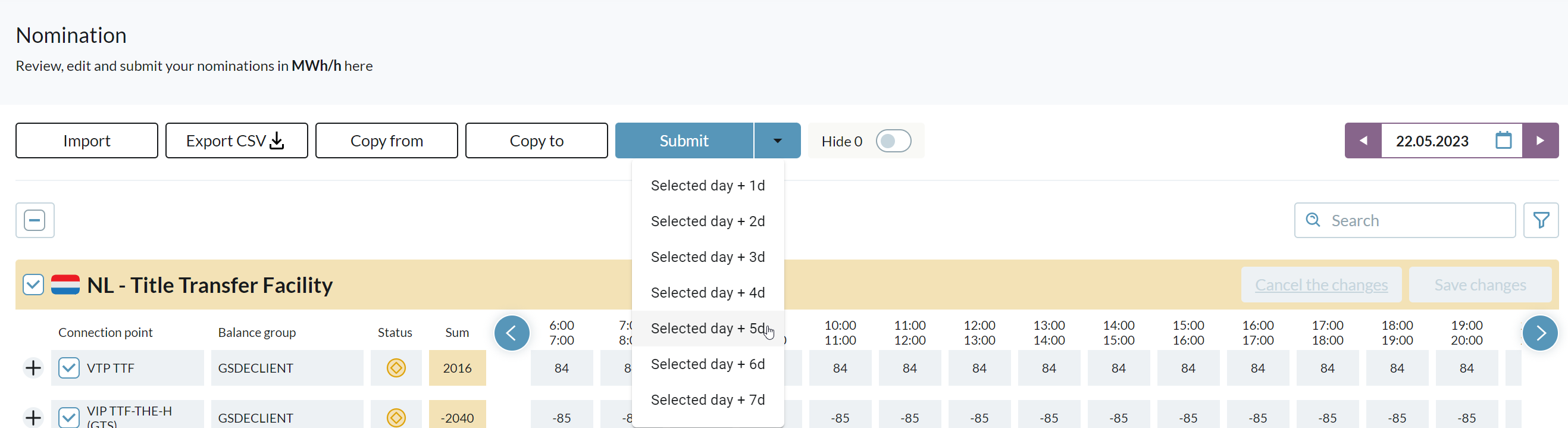
With our ⚙️Automations, you can define that corresponding nominations are send out directly after the values are copied to all other days. Alternatively, you can also submit more then one day out of our nomination view:
Send out only messages with a position change
You can select individual messages to be send out with dispoGas. But the system comes with the handy feature, that you can always select all messages and just send out those where a (re-)nomination is actually required. This ensures that you minimize errors and confusions at your market partners.
nominations-e42e81a56b2350e7d734a17e9f1049c8.png)